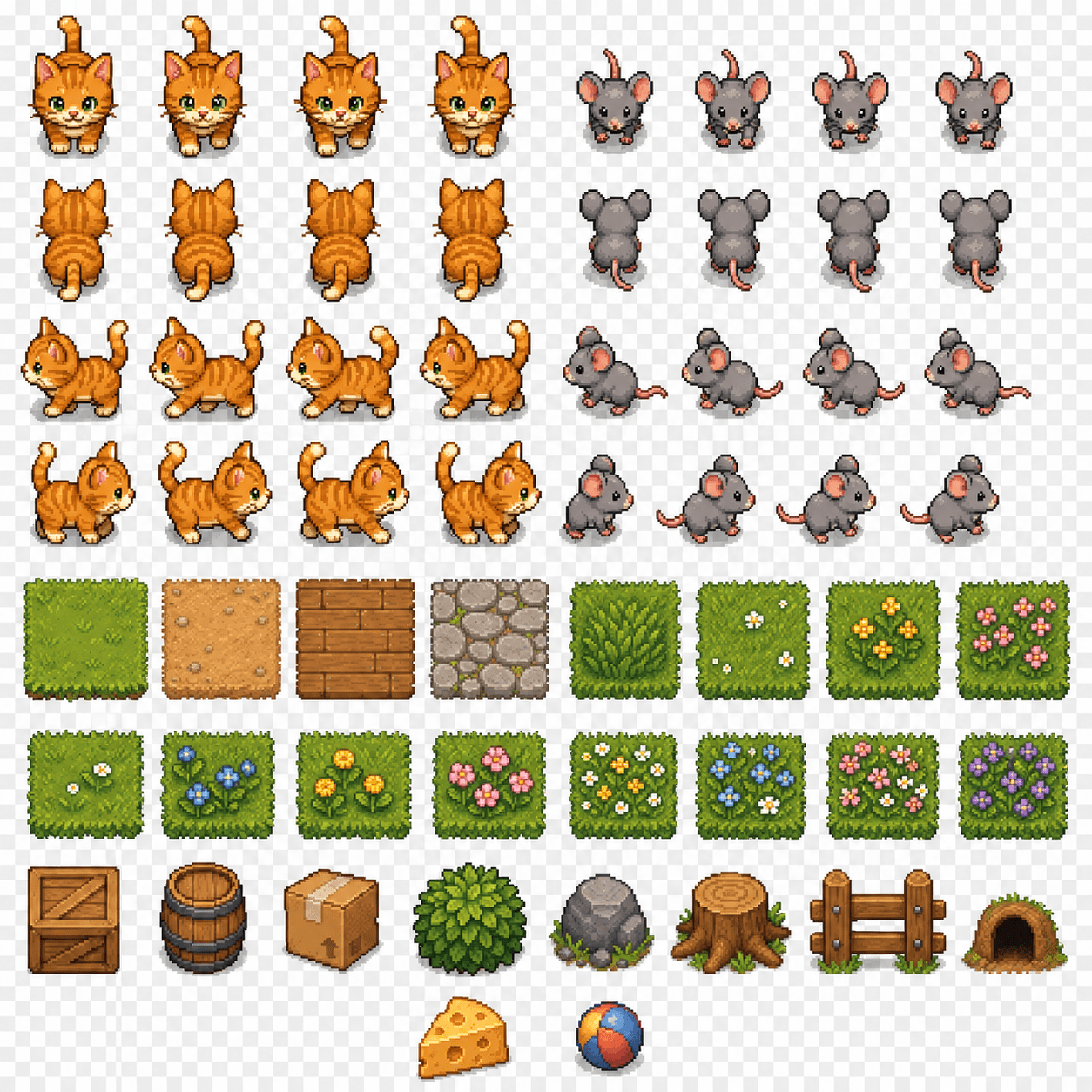
Recently, I’ve been exploring how to build 2D web games with Codex and tell stories through gameplay.
My idea is to use different mechanics for different parts of the story. For example, the first level could be a chase-and-escape scene where the player dodges AI enemies in a confined space and survives for a while to clear the stage. The next level could shift into a completely different mechanic to match the new plot beat. Before I could really think through the story or gameplay, though, I got stuck on a much earlier problem: making the game map.
Following ChatGPT’s suggestion, I started learning Tiled. During that process, I realized ChatGPT Image 2 can actually generate pretty decent 2D map assets. The problem is that once you import those assets into Tiled, they are usually not directly usable.
To make those generated SpriteSheets work in Tiled, I built a small web tool tailored to the Tiled workflow: SpriteSheet Editor
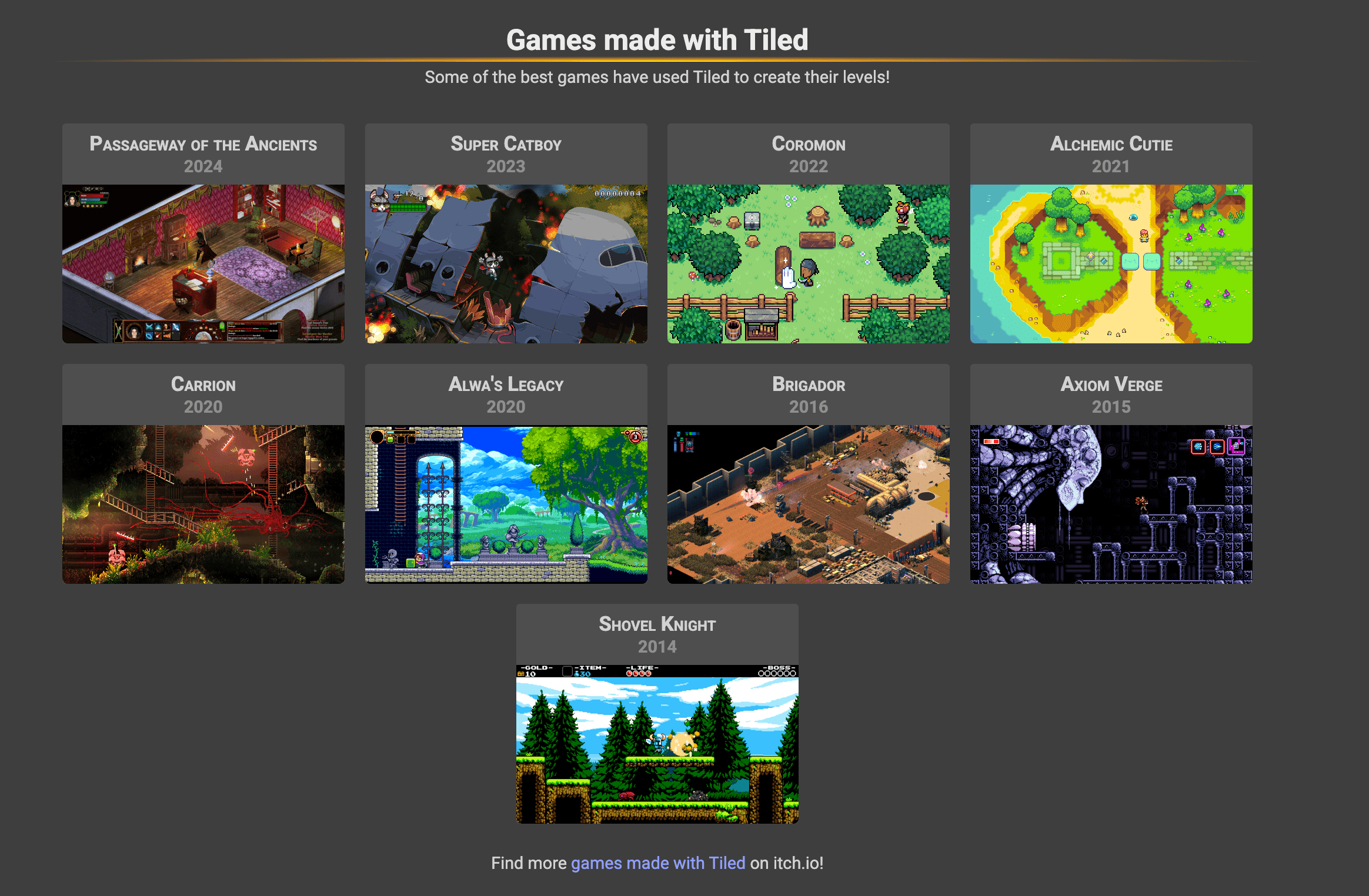
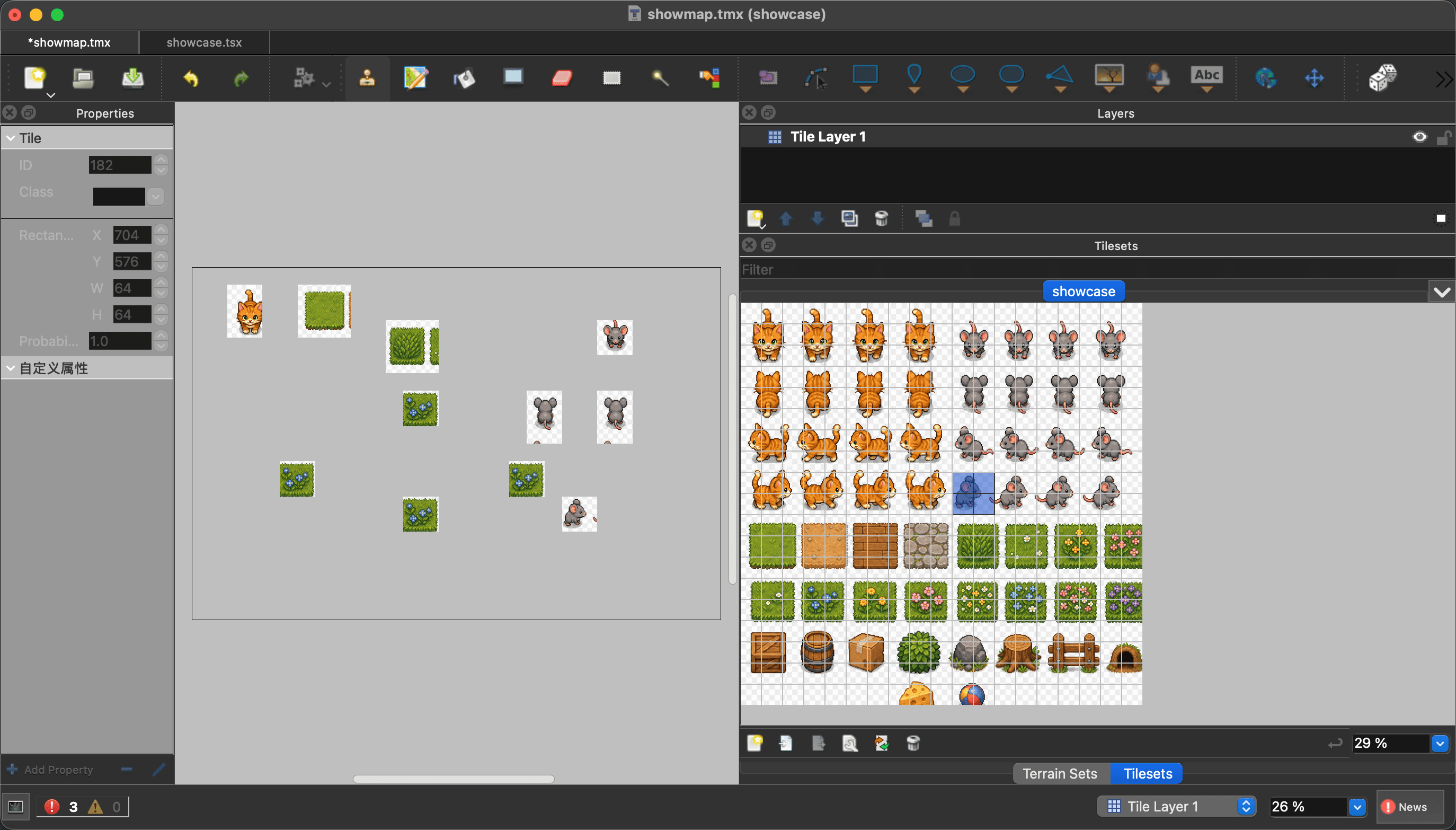
Tiled is an open-source 2D map editor. In Tiled, N fixed-size tiles arranged together become a layer, and multiple layers stacked together become a map.
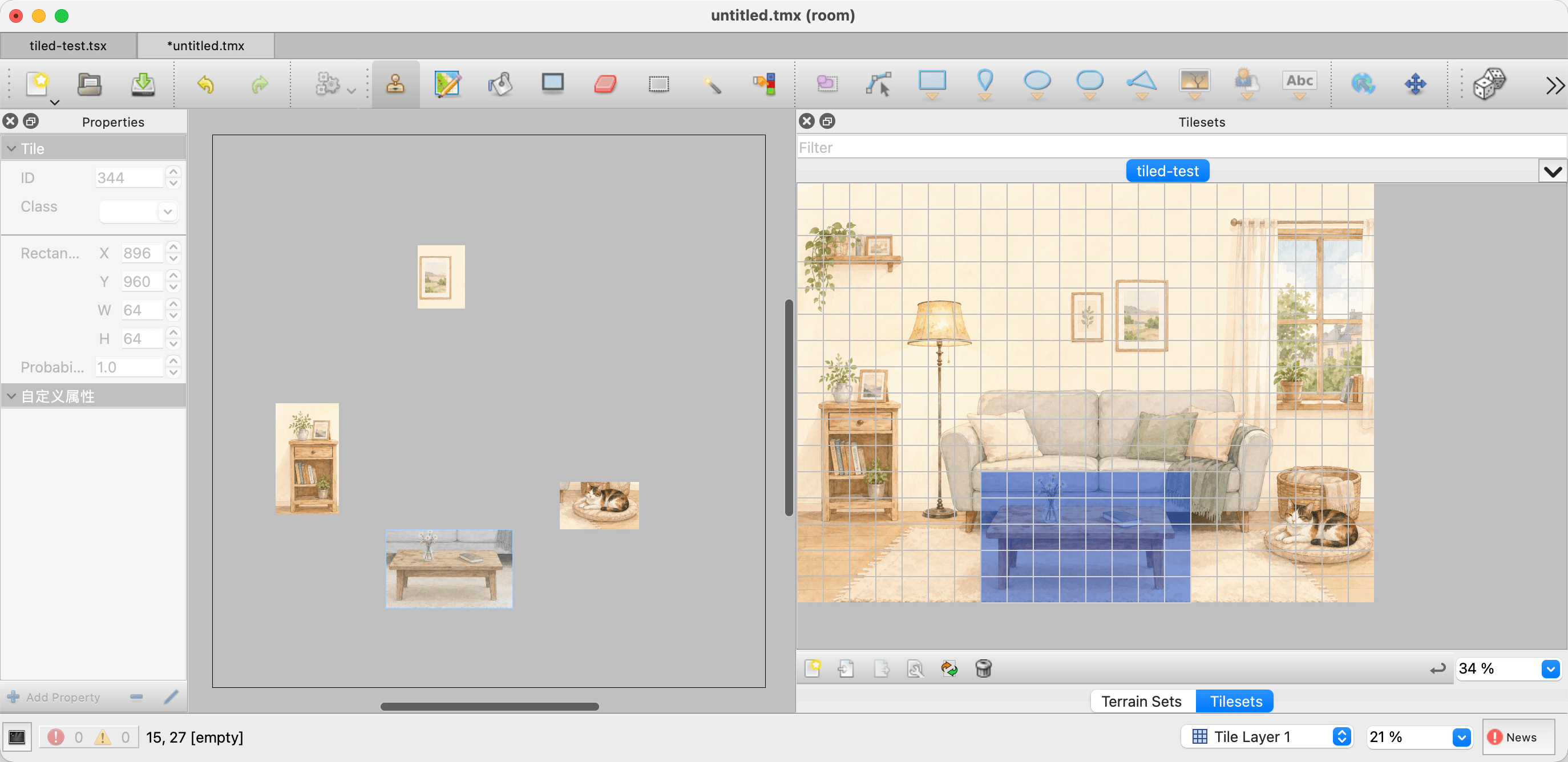
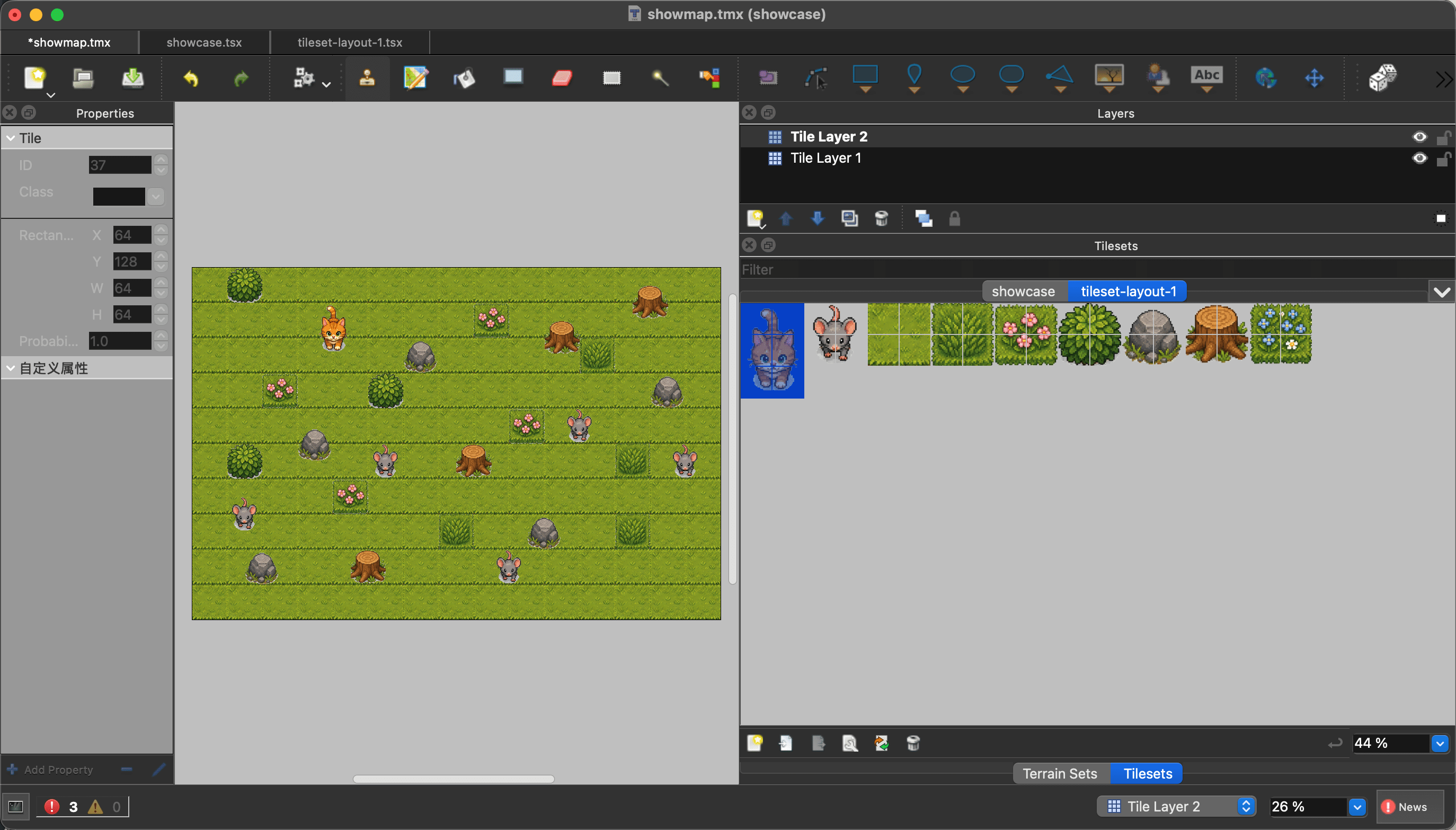
It can slice an imported image into a tileset based on the grid size you provide. For example, after importing an image, you can pick individual tiles from the asset panel on the right and paint them onto the map area on the left.
So the key is getting the right source image, such as a SpriteSheet: one image that contains many assets in a grid. If the assets are aligned to a consistent grid and Tiled slices them correctly, the image can serve as a usable tileset. Once you have a good tileset, you can build the map you want.
Concept
Simple explanation
Tile
A small square on the map, such as 64x64 pixels
Tileset
A library made of many tiles
SpriteSheet
One image containing characters, props, and terrain assets
Layer
A map layer, such as ground, obstacles, or decoration
Tiled
An editor for building 2D maps with tiles and tilesets
To get a SpriteSheet, you can either draw one yourself or download assets shared by other people on sites like itch.io. But finding assets with a style you actually like is not easy. In the AI era, the most attractive option for a beginner with no art background is obviously to generate them with AI.
For example, a prompt like this can produce a sheet:
Cat and mouse chase game SpriteSheet,
Including cat, mouse, land, grass, flowers, and some obstacles,
Stardew Valley inspired cozy pixel art style,
strict evenly aligned grid layout,
64x64 tiles,
transparent background,
isolated tiles,
clean tile spacing,
suitable for Tiled tileset and 2D game asset workflow
At first glance, the result looks great, but in practice it is not usable.
Problem
What it looks like
Why it hurts
Opaque background
White blocks or color patches appear after import
Layers cover each other and the map looks messy
Grid misalignment
Elements do not sit cleanly inside 64x64 cells
Tiled slices broken or incomplete tiles
Stuck-together elements
Multiple objects appear inside one cell
You cannot select assets independently
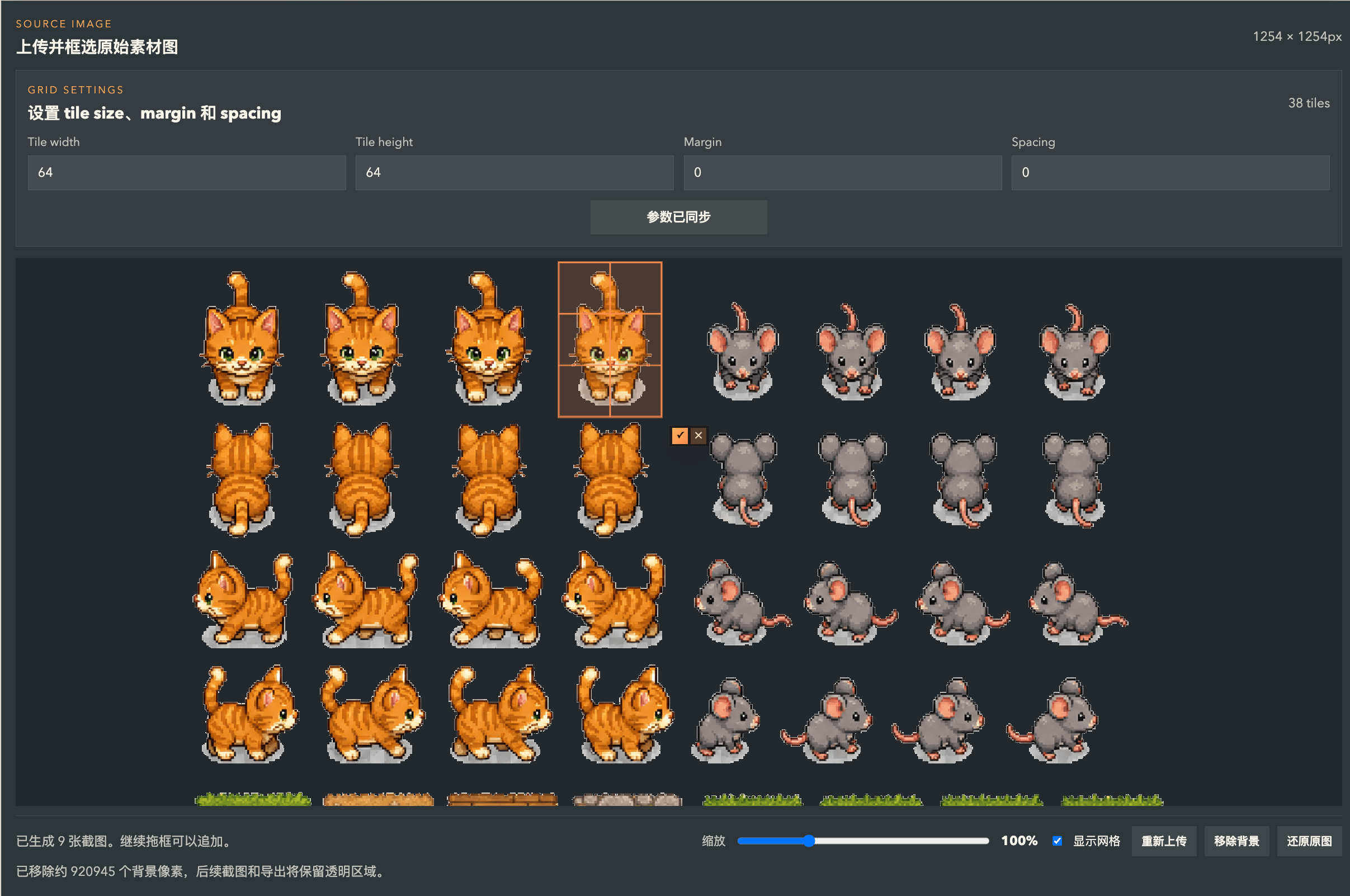
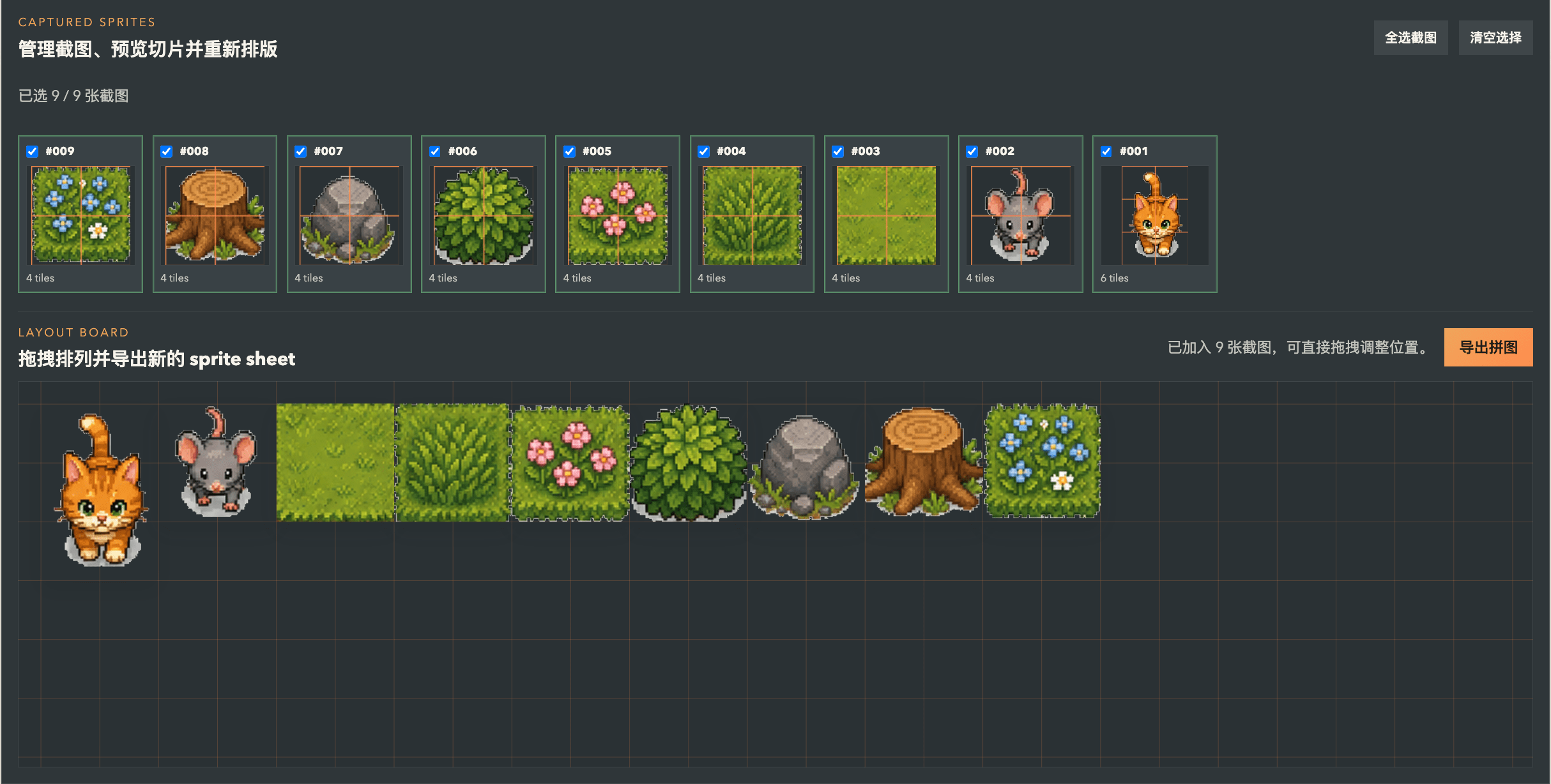
Even after many prompt tweaks, I still could not reliably generate high-quality SpriteSheets that were ready to use. So to make the cleanup easier, I built a small web tool: SpriteSheet Editor.
So this became my current workflow for AI-generated SpriteSheets:
Use ChatGPT Image 2 to generate a source image containing characters, terrain, and obstacles
Import the original image into SpriteSheet Editor
Remove the background, manually select the useful elements, rearrange them into a SpriteSheet, and export a PNG
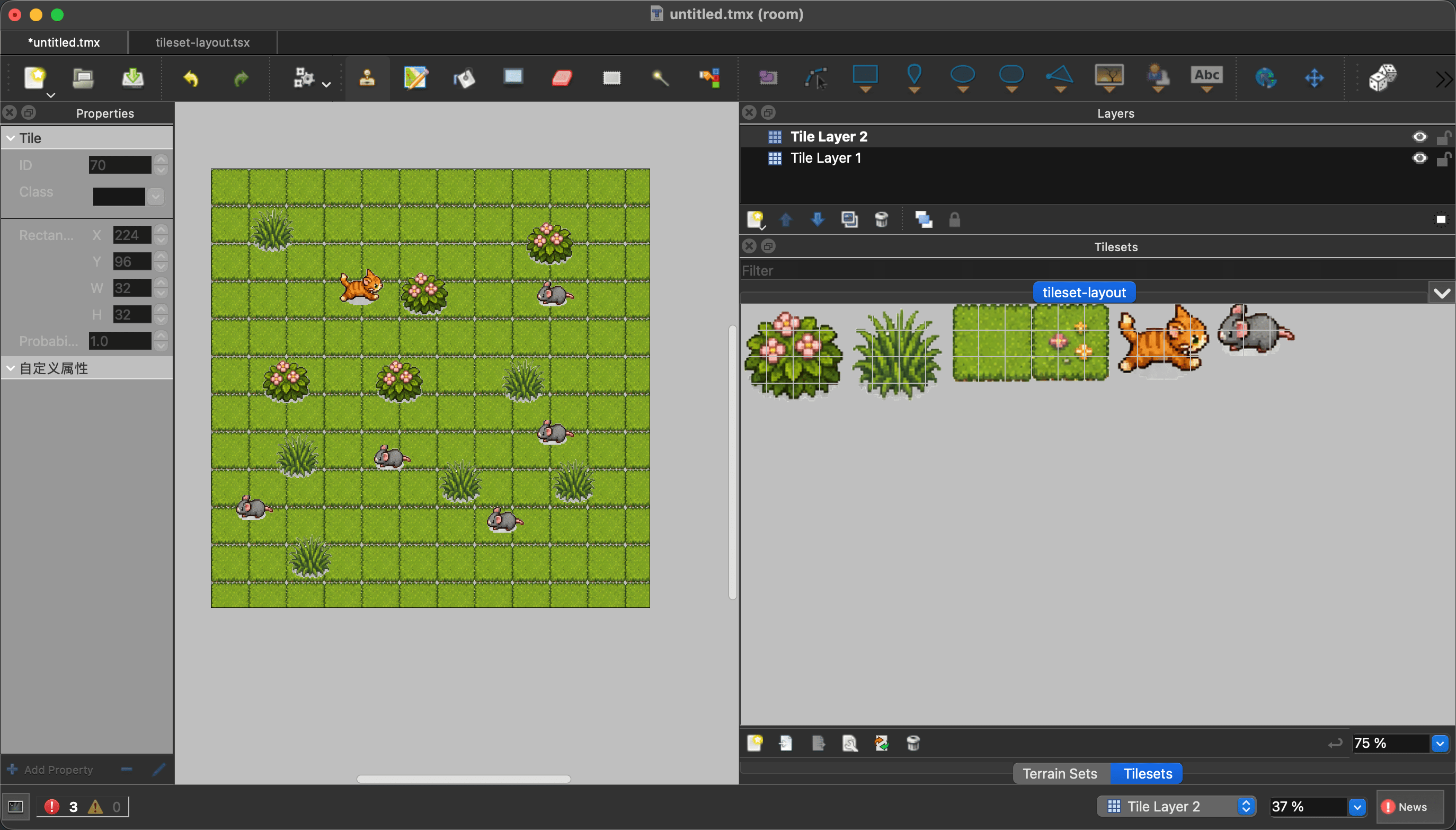
Import that PNG into Tiled as a tileset
Build the map with multiple layers
This custom workflow is probably not very general, and it is still far from a professional game development pipeline. But for me, it feels like a real first step toward making games with AI.
Thanks to AI, a lot of things that once felt completely out of reach now feel worth trying.